
Making decisions
So far, the computer has done every instruction every time. Games need to react: if you hit a wall, stop; if you have no lives left, it's game over. In this chapter your programs start making choices.
If, Then, Else
; Guess my number - one trySeedRnd MilliSecs() ; a different secret number every timesecret = Rand(1, 10)guess = Input("I'm thinking of a number from 1 to 10. Your guess? ")If guess = secret Then Print "Amazing - you got it!"ElseIf guess < secret Then Print "Too low. It was " + secret + "."Else Print "Too high. It was " + secret + "."EndIfWaitKeyEnd
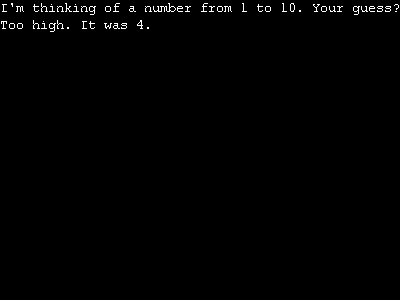
An If checks whether something is true. If it is, the lines after Then run; if not, they're skipped. ElseIf checks something else, and Else catches everything left over. EndIf marks where the decision ends. Only one of the choices ever runs.
The lines inside are indented with Tab. The computer doesn't need that, but it makes the program much easier for people to read.
A short decision can go on a single line, with no EndIf:
If lives = 0 Then Print "Game over"Comparing things
| Sign | Means |
|---|---|
= | is equal to |
<> | is not equal to |
< and > | is less than, is more than |
<= and >= | is less than or equal to, is more than or equal to |
Join checks together with And (both must be true) and Or (either will do), and turn one round with Not:
If age >= 13 And age <= 19 Then Print "You're a teenager"
If answer$ = "yes" Or answer$ = "y" Then Print "OK!"
If Not gameOver Then Print "Keep going"
Random numbers
Rand(1, 10) picks a random whole number from 1 to 10, and Rnd(0, 1) picks a random float. Computers aren't truly random, though: they follow a recipe that starts from a seed, and the same seed gives the same numbers every time. SeedRnd MilliSecs() uses the computer's clock as the seed, so each run is different. Take that line out and you'll find the secret number is always the same.
Choosing from a list: Select
When there are lots of choices, Select is tidier than a long chain of ElseIfs. It compares one value with each Case in turn, and Default catches anything else.
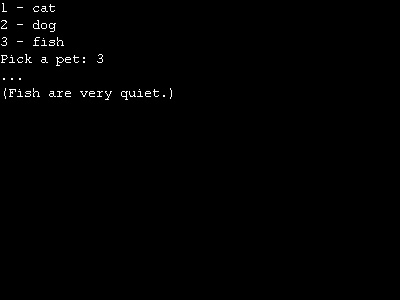
; Choosing from a menu with SelectPrint "1 - cat"Print "2 - dog"Print "3 - fish"choice = Input("Pick a pet: ")Select choice Case 1 Print "Miaow!" Case 2 Print "Woof!" Case 3 Print "..." Print "(Fish are very quiet.)" Default Print "That's not on the list."End SelectWaitKeyEnd
Try this
- In the pizza program from chapter 2, use an
Ifto print a friendly message instead of crashing when nobody is eating. - Ask for a test score out of 100 and print a grade: A for 80 or more, B for 60 or more, and C for anything lower.
- Add a fourth pet to the menu. Then make
Case 2, 4answer for two choices at once.