
Hello, ArcBasic
A program is a list of instructions for the computer, written in words it understands. In this chapter you'll write your first one and run it.
Your first program
Choose File → New in ArcBasic, then type this in, exactly as it is. (Or click Open in editor to open a ready-made copy.)
; My first program; Press F5 to run it, and any key to close it.Print "Hello, world!"Print "I am learning ArcBasic."Print 2 + 3WaitKeyEnd
Now press F5. ArcBasic turns your instructions into a program and runs it, and a window opens:
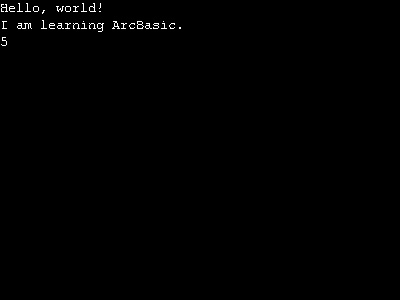
Well done: you're a programmer.
What each line does
- Lines starting with a semicolon
;are comments. The computer ignores them; they're notes for people reading the program. Use them to explain what your code is for. Printwrites a line in the window. Text inside quotes is printed exactly as it is.Print 2 + 3has no quotes, so ArcBasic works it out and prints5.WaitKeywaits until you press a key. Without it the program would finish, and its window close, before you could read anything.Endends the program.
The computer follows the instructions in order, from the top down. That simple idea is behind every program ever written.
When things go wrong
Computers are very fussy about spelling. Change Print on the second line to Prnt and press F5 again. ArcBasic doesn't run the program. Instead it tells you what it didn't understand, Function 'Prnt' not found, and marks the line. Mistakes like this are called bugs. Everyone makes them all the time, and fixing them is a normal part of programming.
Tip: put the cursor on any command, such as Print, and press F1 to see what it does. Press F1 again to open its page in the help.
Try this
- Make the program print your name, and then your favourite food.
- Print the answer to
12 * 12. (*means multiply.) - What happens if you take out
WaitKey?